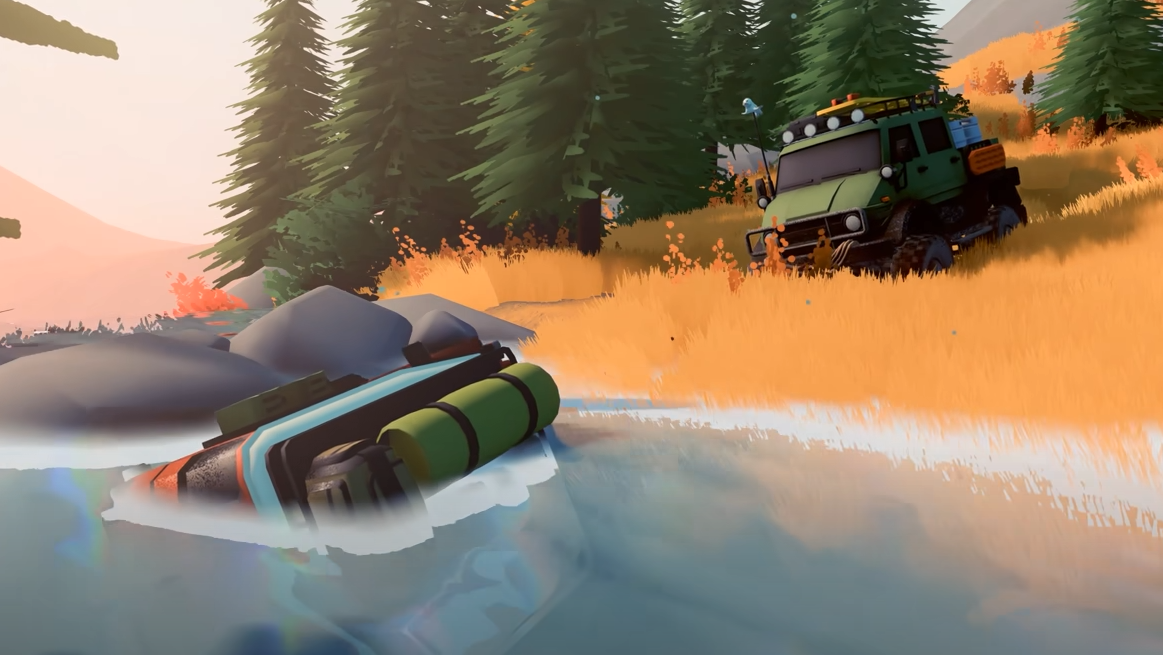
Over the Hill can be played with other people, but its multiplayer setup matters if you were hoping to share one PC or TV. The game currently focuses on online co-op, where separate players bring their own vehicles into the same world and can explore, tackle trails, and recover one another when a route goes wrong.
Jump To Section:
Does Over the Hill Have Local Co-Op?
How Online Multiplayer Works
Public vs Private Lobbies
What You Can Do in Co-Op
How Progress and Unlocks Work
How Players Communicate
Cross-Play and Platforms
Does Over the Hill Have Local Co-Op?
No, Over the Hill does not currently have local co-op or split-screen multiplayer. If two people want to play together, they need to join through the game's online multiplayer rather than sharing one system and screen.
The developers have said local co-op is not planned at the moment, although they have also left the door open to reconsidering it if enough players request the feature. For now, however, there is no couch co-op mode, shared-screen option, or split-screen setting you can enable.
That distinction is worth knowing before buying specifically for local multiplayer. Over the Hill absolutely supports cooperative play, but its current co-op is built around separate online players rather than multiple people using the same PC or TV.
How Online Multiplayer Works in Over the Hill
Online multiplayer lets players enter the same landscape with their own vehicles and explore together. The game does not force everyone into a rigid mission chain, so a session can be as structured or as loose as the group wants it to be.
You can head toward Challenge Trails together, explore parts of the map, search for discoveries, help with vehicle rescues, or simply follow another player through difficult terrain. That open structure fits Over the Hill particularly well because another vehicle can become part of the solution when someone gets stuck.
Co-op therefore changes more than simply adding another car to the screen. A second player gives you another winch point, another vehicle capable of pushing or towing, and another person who can approach an obstacle from a different position when a solo recovery would be awkward.
Public and Private Multiplayer Lobbies
Over the Hill supports both public and private online lobbies. Private sessions are the better choice when you want to explore with a specific group of friends, while public games let you join other players without arranging a group beforehand.
Public multiplayer can work surprisingly well with the game's relaxed structure. You do not necessarily need everyone following an identical objective; you can meet another player on a trail, help with a recovery, travel together for a while, or split off again afterward.
That makes public lobbies closer to shared exploration than a traditional matchmaking system built around winning a single round. The landscape and whatever the players decide to do within it become the multiplayer activity.
What You Can Do Together in Co-Op
The biggest advantage of multiplayer appears when the terrain starts fighting back. Players can cooperate around winching, towing, pushing, and recovery instead of every mistake turning into a one-vehicle problem.
If one truck slides into water or gets hung up on a slope, another player can approach from safer ground and provide a recovery angle that would not exist in solo play. Likewise, multiple vehicles can work through a difficult trail together, waiting for one another to clear obstacles and helping when a line goes badly.
Tools such as winches, anchors, and planks also become more useful when several players are solving the same section of terrain. Instead of everyone independently brute-forcing an obstacle, the group can treat it more like an off-road recovery problem.
If you are still learning how Low Range, winching, and recovery equipment work, our Over the Hill Tips and Tricks Guide covers the systems that become especially useful in multiplayer.
How Progress and Vehicle Unlocks Work in Co-Op
Multiplayer does not mean every unlock automatically belongs to everyone in the lobby. Players retain their own progression, and some rewards require each person to actually participate in the activity that grants them.
Vehicle rescues are a good example. Simply being nearby while another player completes a rescue may not award the vehicle to you. Players have reported both receiving the unlock when they each attached to the same rescue vehicle and worked together to bring it to the save point.
That means a group trying to unlock the same vehicle should make sure everyone participates rather than letting one player perform the entire recovery while everyone else follows.
The same principle makes it worth paying attention to your own map and progression even when playing in someone else's session. The journey is shared, but individual progress still matters.
For more on the different ways vehicles are added to your garage, see our Over the Hill How to Unlock New Cars guide.
How Players Communicate in Multiplayer
Over the Hill's multiplayer is deliberately light on communication tools, which becomes most noticeable when joining public players you do not already know.
Players have been using horns and headlights as improvised signals, whether that means getting someone's attention, pointing toward something nearby, waiting at an obstacle, or acknowledging another driver after a recovery.
That minimal communication fits the slower exploration-focused nature of the game surprisingly well, although it also means coordination with random players can be imprecise. If you are playing with friends and want more detailed planning, external voice chat remains the easier way to coordinate difficult trails and recoveries.
Does Over the Hill Have Cross-Play?
Over the Hill supports cross-platform co-op, although the game's platform rollout affects when that becomes relevant. The full game is currently available on PC through Steam, while PlayStation 5, Xbox Series X|S, and Nintendo Switch 2 versions are planned for 2027.
For PC players right now, the more immediate multiplayer choice is whether to create a private game with friends or join a public lobby. As the console versions arrive, cross-platform support becomes more important for groups that are split between different systems.
What Over the Hill does not currently offer is the one multiplayer option many couch players are asking for: local split screen. Unless that changes in a future update, playing together means using the online co-op system on separate devices.